Published Oct. 5, 2023
When an internal tool goes down, your own team notices and fixes it quietly. When a client-facing site goes down, the client usually notices first — and instead of a bug report, you get a message asking why they're paying for something that isn't working. That difference is why uptime monitoring for a site your clients use deserves more scrutiny than a basic "is it up or down" check.
Most teams already have some form of monitoring running. Fewer have checked whether it actually covers what matters when the site facing your clients is the one at risk. This checklist walks through seven things worth confirming in your current setup, whether you're evaluating a new tool or double-checking the one you already have.
A ping only confirms the server responds to a network request — it says nothing about whether the actual website or application is working. A server can pass a ping while the site itself throws a database error or serves a blank page. What you need is a real HTTP request that captures the same status code a client's browser would get.
A site that loads in eight seconds is technically "up," but a client experiencing that delay doesn't feel the difference between slow and broken. Response time deserves its own threshold, separate from a simple up/down check, so degradation gets flagged before it turns into an outage.
A site can look perfectly healthy from inside your infrastructure while being unreachable to an actual visitor, because of a firewall rule, a DNS issue, or a misconfigured load balancer. Monitoring needs to check from the outside, the way a real client would reach the site.
A connection error, a timeout, and an SSL failure all look identical from a basic "down" alert, but they point to different problems and different fixes. Knowing which one happened saves time the moment something breaks, instead of starting the investigation from zero.
An expired certificate is one of the most preventable ways to break a client-facing site, and it has nothing to do with server load or traffic — it happens on a fixed date whether anything else changes or not. It deserves its own check, tracked separately from general uptime.
A page can return a perfectly healthy status code while quietly showing an error message, a blank state, or content that's gone stale. Verifying that the actual response hasn't unexpectedly changed catches problems a status code alone will miss entirely.
A brief network blip shouldn't trigger the same response as a genuine outage, and an alert sitting in a channel nobody watches is functionally the same as no alert at all. Both the timing and the destination of an alert matter as much as detecting the problem in the first place.
Not every monitoring tool covers all seven of these, and it's worth checking before committing to one. Start by confirming it performs a genuine HTTP check rather than a simple ping, and that response time is tracked as its own number rather than folded into a pass/fail result.
From there, look at how much detail you get when something breaks. A tool that only says "down" leaves your team guessing at the cause, while one that distinguishes a timeout from a certificate problem gets you to a fix faster. Also check whether SSL expiry and content verification are built in, or need a separate tool — and whether alerting includes a configurable delay and a channel your team actually watches.
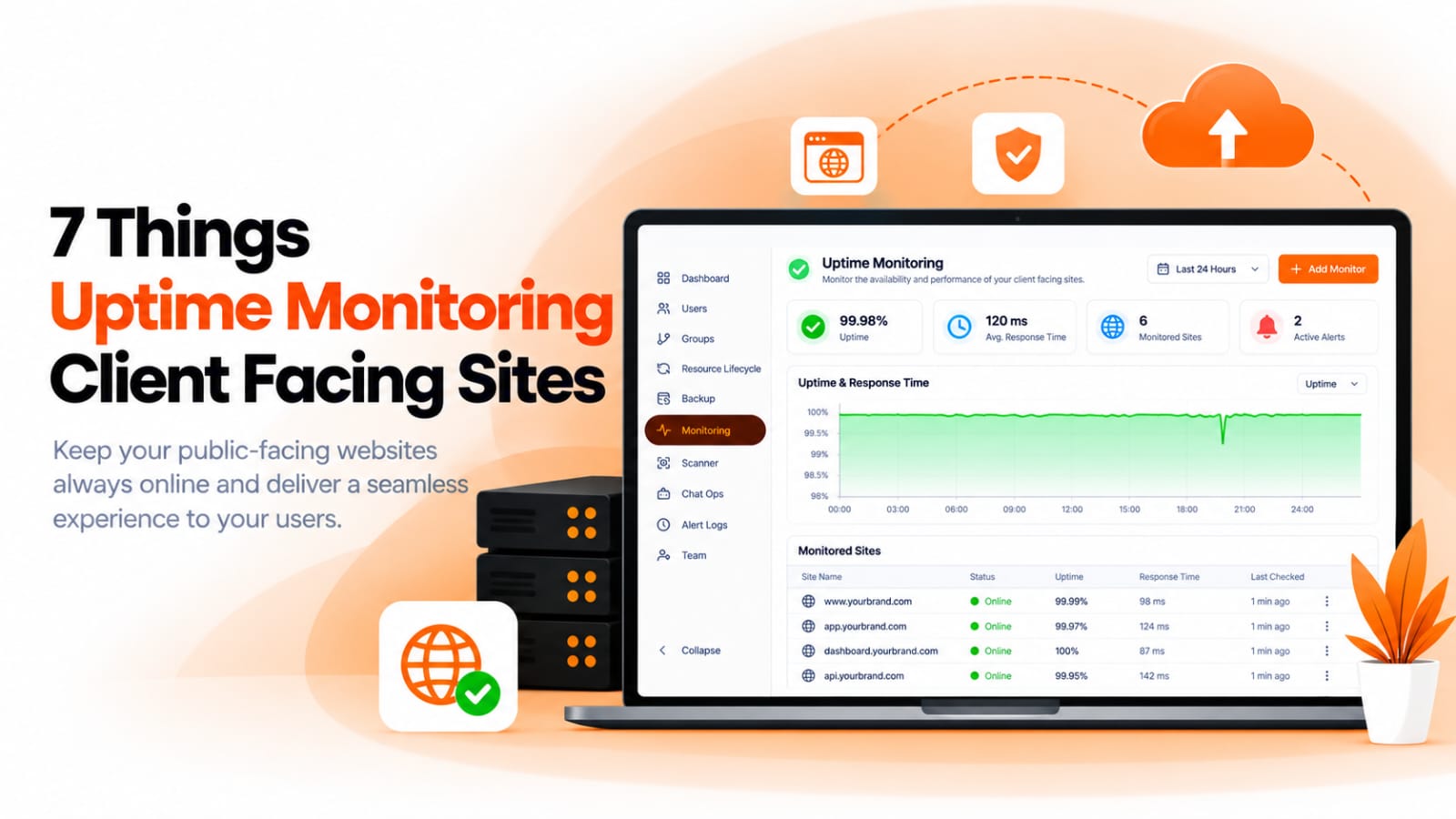
BigBell's URL monitoring is built around exactly this checklist. Each check is a genuine HTTP request, and BigBell records the real status code a client's browser would receive, along with response time tracked as its own metric with dedicated warning and critical thresholds. Checks run from outside your infrastructure, the way an actual visitor reaches your site.
When a check fails, BigBell distinguishes the cause rather than reporting a flat "down" — connection errors, timeouts, and SSL problems are identified separately, so your team knows what they're dealing with before they even open a terminal. SSL certificate expiry is tracked on its own schedule, independent of the uptime check itself, and a checksum of each response is calculated so BigBell can flag when a page's content changes unexpectedly, even if the status code looks perfectly fine.
Alerts include a configurable delay so a single flaky check doesn't get treated as an outage, and a recovery notification goes out once the site is healthy again. Alerts can be routed at the organization, project, or application level, and delivered through email, Slack, Microsoft Teams, Google Chat, WhatsApp, SMS, or a phone call — whichever channel your team is actually watching.
Try BigBell free and run this checklist against the site your clients are using right now.
Is uptime monitoring different for a client-facing site than an internal one? The underlying checks are the same, but the stakes are higher. A client-facing outage is usually discovered by a paying customer before your own team notices, which makes response time, alert speed, and the right delivery channel matter more.
Does a ping check count as uptime monitoring? Not on its own. A ping only confirms the server responds to the network — it doesn't confirm the actual site or application is working, which is what a client experiences. A real HTTP check is what actually reflects what a visitor sees.
How often should a client-facing site actually be checked? Frequently enough that an outage is caught in minutes, not the next time someone happens to look. The exact interval matters less than making sure a short delay is applied before alerting, so frequent checks don't turn into frequent false alarms.
Why track SSL expiry separately from uptime? Because certificate expiry is entirely predictable and unrelated to traffic or load — it happens on a fixed date. Checking it on its own schedule means you catch it days in advance instead of at the moment the site starts rejecting visitors.
What does content verification actually catch? It catches a page that returns a healthy status code while showing an error message, a blank page, or unexpectedly stale content — situations a status code alone won't reveal.
Will a brief network blip trigger a false alert? Not if a delay is built in. The delay lets a check confirm the issue persists before anyone gets alerted, so a five-second blip doesn't get treated the same as a real outage.
Can alerts go to more than one channel at once? Yes. Alerts aren't limited to a single destination, so a team can route them to whichever combination of email, chat, or phone channels fits how they actually work.
Do I get notified once the site recovers, or only when it goes down? Both. A recovery notification goes out once the site is healthy again, so nobody has to keep manually refreshing the page to confirm the issue is actually resolved.