Published May 25, 2025
Few pieces of syntax are used so often and remembered so poorly as cron. Almost every engineer has stared at five fields of numbers and asterisks and wondered whether the job would run at 5 in the morning or 5 in the evening. A short cron syntax cheat sheet saves that guesswork.
This guide covers the format, the common patterns, and the mistakes that cause trouble. The first sections are general knowledge that applies to cron in most places. The last section covers only how Bigbell uses cron expressions.
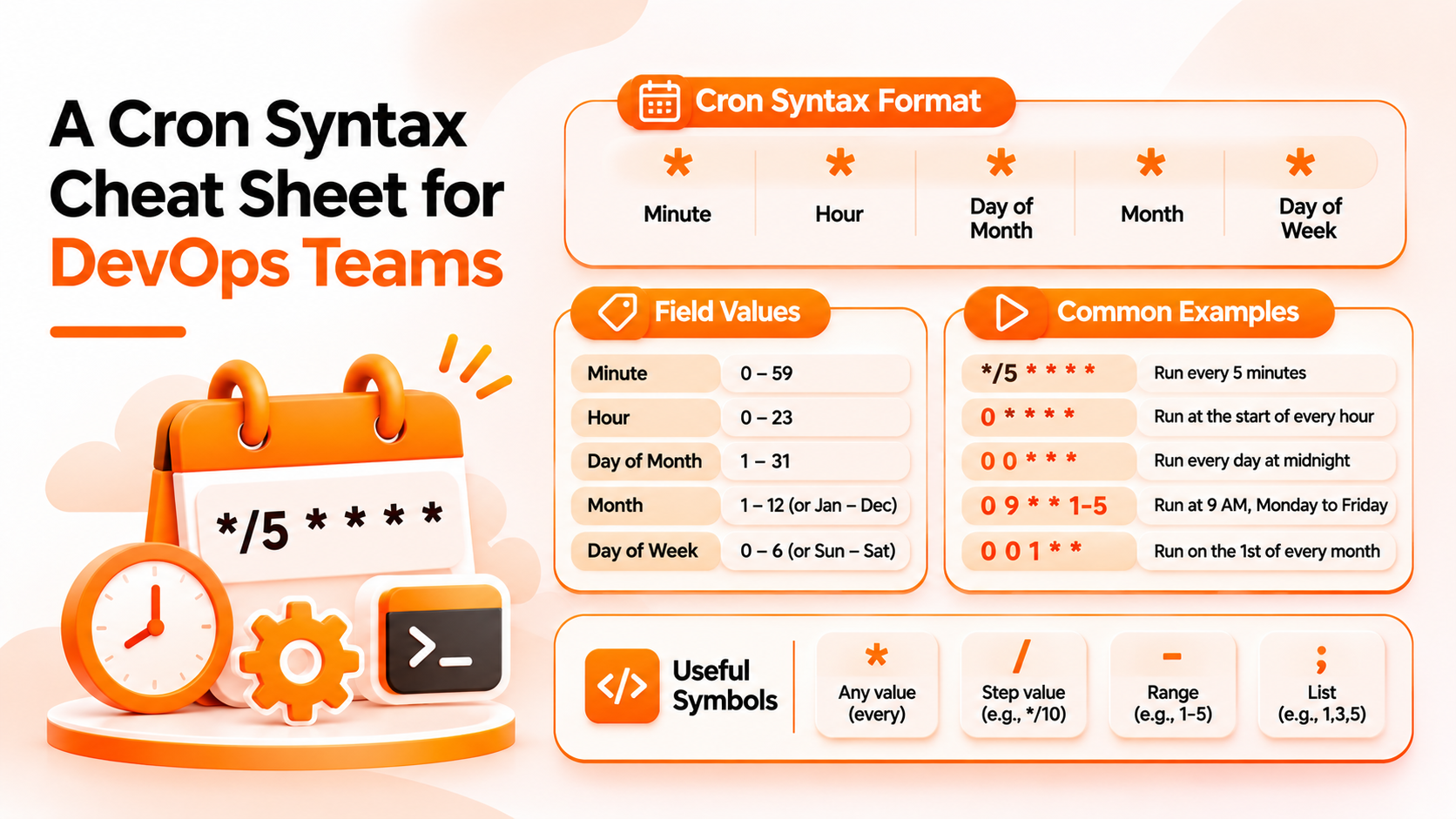
A standard cron expression has five fields separated by spaces, always in the same order: minute, hour, day of month, month, and day of week.
| Field | Allowed values |
|---|---|
| Minute | 0–59 |
| Hour | 0–23 (24 hour clock) |
| Day of month | 1–31 |
| Month | 1–12 |
| Day of week | 0–6, where 0 is Sunday in most systems |
Some systems also accept 7 for Sunday and names such as MON or JAN.
Four special characters do most of the work:
* (asterisk) means every possible value., (comma) separates a list, so 1,15 means the 1st and the 15th.- (hyphen) defines a range, so 1-5 means Monday to Friday in the weekday field./ (slash) defines a step, so */10 in the minute field means every 10 minutes.Here are common patterns:
| Expression | Runs |
|---|---|
0 * * * * |
At the start of every hour |
30 8 * * 1-5 |
At 8:30 on weekdays |
0 0 * * * |
At midnight every day |
0 2 * * 0 |
At 2 in the morning each Sunday |
0 6 1 * * |
At 6 on the first of each month |
*/15 * * * * |
Every 15 minutes |
Read an expression from left to right as a sentence: at this minute, of this hour, on this day of the month, in this month, on this weekday.
The most common mistake is the time zone. A cron expression has no time zone of its own. It runs in whatever zone the system using it is set to. The same expression can fire at different real times on two systems, so always find out which zone applies.
The second is confusing the step character with a true interval. */7 in the minute field does not mean every 7 minutes forever. It means minutes 0, 7, 14, and so on up to 56, and then it starts again at 0 in the next hour, so the gap at the hour boundary is only 4 minutes.
The third is the interaction between day of month and day of week. When both fields have a value, different implementations behave differently. Some run the job when either condition matches, and others require both. Avoid setting both unless you have tested how your system treats it.
The fourth is leaving an asterisk by accident. 0 9 * * * runs every day, not just weekdays.
Write the meaning in plain words next to every expression, in a comment or a ticket. 30 8 * * 1-5 is easy to misread, while "8:30 on weekdays" is not.
Use a tool that translates expressions into plain English before you save them. This catches most mistakes, such as the wrong hour or a field in the wrong place.
Pick quiet, off peak times for heavy jobs, and avoid running many jobs at exactly the top of the hour.
Record the time zone with the schedule. When teams span regions, convert working hours carefully, and remember that daylight saving changes can shift a job in zones that observe it.
Test first on a harmless target, and confirm it fires when you expect.
Bigbell uses cron expressions for its schedules in Resource Lifecycle Management. When you create a schedule to start, stop, or resize a cloud server, you enter a standard five field expression: minute, hour, day of month, month, and day of week. Bigbell checks that the expression has five parts, and it shows a plain English description of it, so 30 8 * * 1-5 is displayed in words. If it cannot read an expression, it says the expression is invalid. Bigbell's AI chat can also create schedules for you and asks for details such as the time when they are missing. Backup schedules in Bigbell also use cron expressions.
There is one detail you must know. Schedules are interpreted in Indian Standard Time, not in your own zone, so convert before you enter the time. The check for five parts is a format check, so it does not tell you whether the schedule is a good idea. We have not verified how Bigbell treats an expression that sets both day of month and day of week, so avoid that combination and confirm the plain English description. Bigbell also does not warn about clashing schedules, and we have not verified notifications when a scheduled action runs.
Book a demo to see how schedules are entered and displayed.
How many fields does a cron expression have? Five in the standard format: minute, hour, day of month, month, and day of week.
What does an asterisk mean? Every possible value for that field.
How do I run a job every 5 minutes? Use */5 * * * *.
How do I run a job on weekdays only? Put 1-5 in the day of week field, such as 0 9 * * 1-5.
Which number is Sunday? 0 in most systems, and some also accept 7.
Can cron run something every 30 seconds? Not with standard five field cron, whose smallest unit is one minute.
Which time zone does cron use? The one set on the system running it, so always check.
Does Bigbell use cron? Yes. Start, stop, and resize schedules, and backup schedules, use cron expressions.
Which time zone do Bigbell schedules use? Indian Standard Time.
Does Bigbell explain my expression? Yes. It shows a plain English description and flags expressions it cannot read.
Can the AI chat create a schedule? Yes, and it asks for missing details such as the time.
Should I set both day of month and day of week? Avoid it unless you have tested how your system handles the combination.
How do I avoid many jobs starting together? Offset them by a few minutes instead of using the top of the hour.
What does 0 */2 * * * mean? At minute 0 of every second hour, starting from midnight.
What does 0 0 1 * * mean? Midnight on the first day of every month.
Why did my job run at the wrong hour? Usually a time zone mismatch between where you wrote the expression and where it runs.
Does daylight saving time affect cron? In zones that observe it, jobs near the change can run twice or be skipped, depending on the system.