Published Nov. 25, 2025
Most teams have a careful process for hiring someone and a loose one for server access. A new engineer asks in chat, someone adds a key to a few machines, and the details stay in that person's memory. When the same engineer leaves, nobody can say with confidence where their key was installed.
A clear server user onboarding offboarding checklist fixes this by turning habits into steps. This guide explains what the process involves, where teams go wrong, and what a good checklist includes. The first sections are general practice. The last section covers only what Bigbell provides.
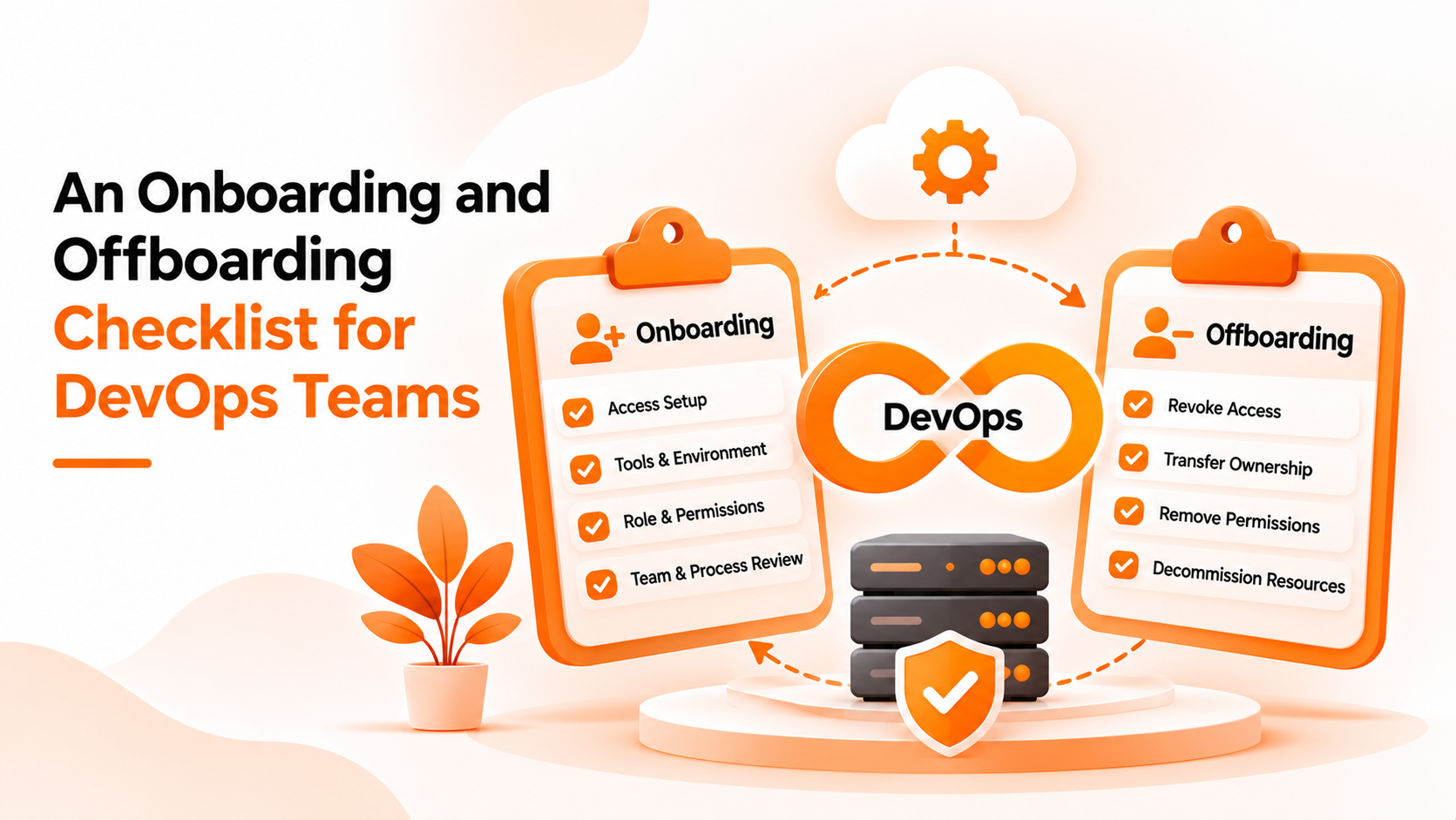
Onboarding is everything required for a person to do their job on your servers. That means a user account on each machine they need, a way to log in, usually an SSH key on Linux systems, and a level of permission that matches their role. Offboarding is the reverse: every account, key, and permission is removed when the person leaves or changes teams.
Both are easy to describe and hard to complete. The reason is scale. Each server holds its own list of users and keys, so a single person may exist in dozens of places. A process that works for five servers breaks quietly at fifty.
A third event matters as much as the other two: a change of role. Someone moves from development to operations, and their access should change with them. Teams often add new permissions without removing the old ones.
The first misunderstanding is that offboarding is an HR task. In practice, HR ends the contract, but only the technical team can find and remove the access. If those two steps are not connected, access stays behind.
The second is believing that disabling a person's company email ends their server access. It does not. SSH keys and server accounts are separate from email, and they keep working until someone removes them.
The third is treating shared accounts as a shortcut. A shared login or a shared key means nobody can tell who did what, and removing one person means changing it for everyone.
The fourth is assuming that more access now is safer than waiting for a request. Broad permissions given at the start are rarely reduced later.
A good checklist is short, ordered, and has an owner for every step. Here is a practical starting point.
For onboarding, confirm who approves the request and which role the person needs. Create the account with the least access that lets them work. Give each person their own key, never a shared one, and tell them how to store it safely. Record which servers or groups they can reach. Finally, ask the person to confirm they can log in, so problems show up on day one.
For role changes, review current access before adding new access. Remove what is no longer needed, and treat the change as a small onboarding and offboarding in one.
For offboarding, do the removal on the day the person leaves, not later. Remove their accounts and keys from every server. Check any shared credentials they knew, since those must be changed. Review access they held on other systems, such as cloud consoles and code repositories, and keep a record of what you removed and when.
Whatever your process, test it. Pick a former employee and check whether any of their keys still work. Many teams are surprised by the result.
The best defense against missed steps is to reduce the number of places where users live. A central list means one removal instead of dozens, which is the idea behind centralized Linux and Windows user management.
Bigbell's Centralized Authentication supports parts of this checklist for Linux servers. It does not cover Windows, and it is not a full identity system.
For onboarding, you can add a user in Bigbell by entering a first name, last name, and group, and optionally a list of allowed hosts. Bigbell creates the user in your organization's directory and generates an SSH key pair for them. The public key is stored in the directory, and the private key can be downloaded once. After you download it, Bigbell keeps a backup copy and clears the original, so save it straight away. Servers connected with Bigbell's setup command look up users and public keys from the directory.
For role changes, you can edit a user's name, group, and allowed hosts. Bigbell's built in groups are administrators, developers, and readonly. For a lost or exposed key, you can regenerate a user's SSH key.
For offboarding, you can delete the user from Bigbell. Because connected servers read keys from the directory, removing the user there removes the source those servers use. Bigbell does not end sessions that are already open, and it cannot remove accounts or keys that were added directly on a server outside the directory. Check those separately.
Bigbell also does not provide approval workflows, automatic removal when someone leaves, or a log of who logged in. Treat it as the place where users and keys are kept, with the checklist steps still owned by your team.
Book a demo to see user creation and key handling in your own setup.
Is a checklist enough on its own? It helps most when each step has an owner and the process is tested regularly.
How quickly should access be removed after someone leaves? On the same day, ideally before the person's last day ends.
Does disabling email remove server access? No. SSH keys and server accounts are separate from email.
Can Bigbell create SSH keys for new users? Yes. A key pair is generated when a user is added.
How is the private key delivered? It can be downloaded once. Bigbell then keeps a backup and clears the original.
Can I regenerate a key if one is lost? Yes. Bigbell can generate a new SSH key for a user.
Can I change a person's group when their role changes? Yes. A user's group can be edited.
What happens when I delete a user in Bigbell? The user is removed from the directory that connected servers read keys from.
Does deleting a user end an active session? Bigbell does not end sessions that are already open.
What about keys added directly on a server? Bigbell does not manage them, so review those separately.
Does Bigbell support Windows servers? No. Its Centralized Authentication is for Linux servers.
Does Bigbell offer approval workflows? No. Approvals remain part of your own process.
Why should every person have their own key? Individual keys show who did what and allow one person's access to be removed without affecting others.
How do I test my offboarding process? Take a former employee's key and check whether it still works on any server.
What should a role change checklist include? Review current access first, add what the new role needs, and remove what the old role no longer requires.
Who should own offboarding? A named person on the technical team, working from a notice sent by HR or the manager.