Published Nov. 5, 2024
A developer restarts a test database on Friday afternoon, and the on-call phone rings. Or the reverse happens: a production server crosses a limit and the alert lands in the same shared channel as forty dev-environment warnings, where it sits unread until Monday. Both come from the same cause. Production, UAT, and dev were monitored as one flat pile of servers, so no alert could say whether it mattered. Good multi-project server monitoring starts with separating them deliberately, and this checklist covers how to do that without creating extra work for the team.
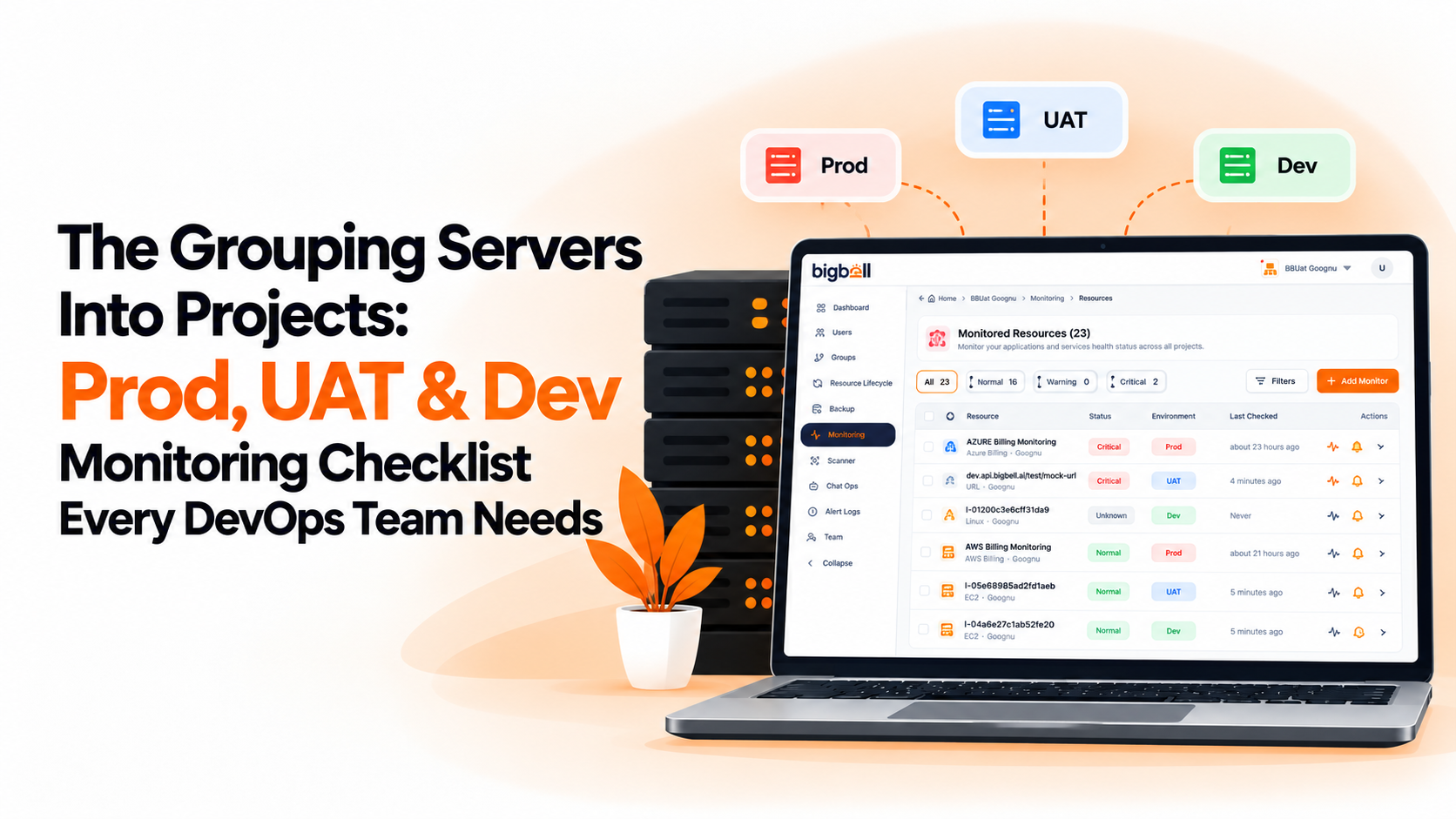
One project per environment. Putting Prod, UAT, and Dev in their own projects is the foundation for everything else. Once they're separate, you can see the state of each at a glance, and a problem in dev can't be mistaken for a problem in production.
Consistent naming. If one team calls it "prod" and another "production-eu," filtering and reporting turn into guesswork. Agree on a naming pattern for projects and applications, such as environment first and service second, so anyone can find a resource without asking. This matters most for newer team members, who shouldn't need a guided tour to tell the staging database from the production one.
Tags by team or service. Environment is only one way to slice your infrastructure. Tags let you group across projects, for example everything owned by the payments team, without restructuring anything. They also make it clear who to ask when something looks wrong, which saves time during an incident when nobody remembers who set a server up.
Separate thresholds per environment. A CPU limit that is sensible for production will fire constantly on a dev box that is routinely stressed during testing. Production deserves tight limits and early warnings. Dev can be looser. Using one set of numbers everywhere guarantees one environment is wrong. A good starting point is to set production limits from its real usage and give dev and UAT more headroom, then adjust once you've seen how each behaves over a few weeks.
Alerts routed by environment. This is where most of the value is. Production alerts should reach people who can act immediately, through a channel that interrupts them. Dev alerts can go to a team chat and wait until morning. The point isn't to ignore dev problems, only to stop them competing for attention with the ones that cost money. When both share a destination, people learn to ignore it, and the one alert that mattered gets missed with the rest.
Check frequency matched to importance. Checking a production URL every minute is reasonable. Checking a dev tool at the same pace adds load and noise for little benefit. Frequency is a cheap way to spend attention where it counts, and it's easy to revisit as an environment becomes more or less important.
Regular project reviews. Environments drift. Servers get retired, test applications get forgotten, and a project that was tidy in January is cluttered by June. A short review each quarter, removing dead checks and confirming owners, keeps the structure useful. It's also the moment to check that each project still has the right people receiving its alerts.
BigBell's monitoring is organized around this structure. Resources live in applications inside projects, inside an organization, so a Prod, UAT, and Dev project can each hold their own servers and URLs, and tags can group resources across projects. Each project carries its own health status, so the state of production can be read without sorting through everything else.
Thresholds are set per resource with separate warning and critical values, so production and dev can have different limits, with a configurable delay to filter brief spikes. Check frequency is chosen per monitor, from every few seconds up to once a day. Alerts can be routed at the organization, project, or application level and delivered by email, Slack, Microsoft Teams, Google Chat, WhatsApp, SMS, or a phone call, which means production can ring a phone while dev posts to chat. A recovery notification is sent when a resource returns to normal, so a fixed issue in any environment doesn't need to be re-checked by hand.
BigBell has no built-in "environment" setting. Prod, UAT, and Dev are simply projects you name, which keeps the model flexible but means the naming discipline in item 2 is yours to maintain.
Try BigBell free and set up Prod, UAT, and Dev as separate projects.
A single list makes every alert look equally important. Separate projects let you see environment health at a glance and apply different thresholds and routing to each, so production issues stand out from test noise.
Yes, but lightly. Monitoring them catches broken deployments before they reach production, though it doesn't need the same frequency or alerting urgency as production does.
Pick one pattern and stick to it, for example environment first and service second. The exact format matters less than everyone using the same one, since consistency is what makes searching and filtering work.
That's a team decision more than a tooling one. Agree on who owns each environment's limits and review changes together, so a loosened production threshold doesn't go unnoticed.
Projects separate things, usually by environment. Tags group things across those boundaries, such as all resources owned by one team. Using both gives you two ways to find the same resource.
Usually yes. Even with a handful of servers, separating production from everything else costs little and prevents the most common mistake, which is treating a test-environment warning with the same urgency as a production outage.
Yes. Alerts can be routed at the organization, project, or application level, so production can go to your on-call team through a phone call or SMS while dev goes to a team chat.
No. Environments are modeled as projects that you create and name yourself.
It's better to keep each resource in the project that matches where it runs. Using tags for cross-cutting groups, such as a team or service, avoids duplicating monitors and the duplicate alerts that come with them.
Whenever an environment changes meaningfully, and at least once a quarter. A new instance size or heavier traffic can make old limits too loose or too tight.
Their checks keep running until someone removes or disables them, so retired servers and forgotten test applications keep generating noise, which is why a regular review that removes dead monitors matters.