Published April 25, 2025
A port is a numbered door on a server. A web server listens on 443, SSH on 22, a database on 3306 or 5432. Each open port is a service that someone, somewhere, may be able to reach. The risk is rarely the door you meant to open. It is the one you forgot: a database port opened for a quick test, or a remote access port left available to the whole internet.
An open port audit in the cloud answers a simple question: which ports are reachable, and should they be? This guide compares two ways to find out, then explains where Bigbell fits. The first sections are general industry practice. The last section covers only what Bigbell provides.
The first approach reads the rules. In the cloud, access to servers is controlled by security groups, firewall rules, and network settings. An auditor lists the rules, looks for broad ones, such as allowing a port from anywhere, and asks whether each is justified.
This approach shows intent. It tells you what the configuration allows, which is where a fix must eventually be made. It is also precise: you see the exact rule, who created it, and which resources it applies to.
The weakness is that rules do not tell the whole story. Rules can be layered across several places, such as cloud level groups, operating system firewalls, and network devices, and the combined effect is hard to calculate by eye. A rule may allow a port that nothing listens on, which is harmless, or a service may listen on a port you never thought to look for. Large environments have too many rules to review by hand.
The second approach tests reality. A scanner tries to connect to a server's address and records which ports answer. The result is what an outsider would see.
The strength is that it checks the outcome. It finds the forgotten port, the rule that was wider than expected, and the service nobody remembered installing. It also scales across many addresses.
The limits are worth knowing. A scan only tells you that a port is open, not why, so you still need to trace the cause back to a rule or service. It shows the view from where the scan runs, so a port reachable only from certain networks may not appear. Scanning also needs permission, and you should only scan systems you own or are authorized to test.
| What matters | Rule review (Option A) | Scanning (Option B) |
|---|---|---|
| Accuracy of intent | Shows exactly what was configured and where to change it | Does not show the rule |
| Accuracy of outcome | Hard to calculate across layers | Shows what is actually reachable |
| Scale | Slow and error prone at volume | Scales across many addresses |
| Finding the cause | Points to the rule | Result does not explain itself |
| Safety | Sends no traffic | Safe when authorized; should be planned |
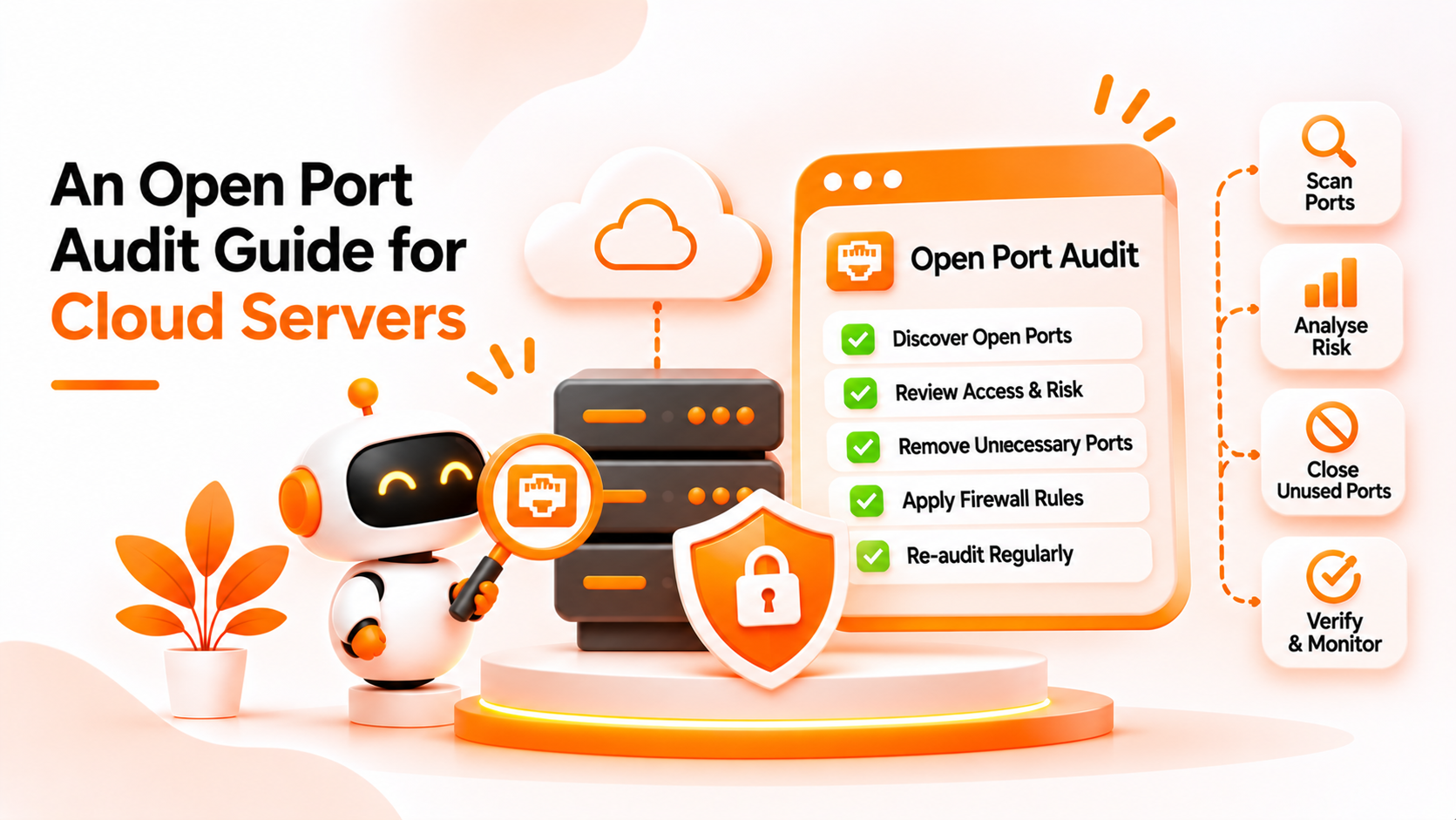
Use both, in sequence. Scan to find what is open, then use rule review to explain and fix it. A useful order of work looks like this:
Repeat the audit on a schedule and after major changes. New servers are a common source of open ports, because they are often launched with default or copied rules.
Bigbell offers an Option B style check, plus guidance. It does not review or change your firewall rules, and it does not manage security groups.
The Cloud Security Scanner includes a port scan whose results are turned into findings. Each finding is listed against an IP address. If the scan finds sensitive ports open, specifically 22, 3389, 3306, 5432, 27017, or 6379, Bigbell reports a high severity finding saying those ports are open to the public, and recommends restricting access through security groups or firewalls. Other open ports on the same address are reported as a separate low severity finding, with the recommendation to review whether they need to be exposed.
This gives you the ordered list the checklist calls for: the risky ports first, and the rest as a review item. You start scans from Bigbell and can review past results later.
The limits are clear. Bigbell lists ports, not the rule or service behind them, so you still trace the cause yourself. A scan reflects the moment it ran, and we have not verified an automatic schedule. The sensitive port list is fixed, so a risky service on another port appears only as a low severity item. Bigbell does not close ports, and an empty result does not prove a server is safe.
Book a demo to see how port findings are presented for your accounts.
What is an open port? A port on which a server is listening and accepting connections.
Why are open ports a risk? Each one exposes a service that may be reachable and attacked if it is weak or misconfigured.
Which ports are usually sensitive? Remote access ports such as 22 and 3389, and database ports such as 3306, 5432, 27017, and 6379.
Should port 443 be open? For a public website, yes. The question is whether each open port has a reason.
Is it legal to scan any server? Only scan systems you own or have permission to test.
Does Bigbell scan for open ports? Yes. The Cloud Security Scanner reports open ports as findings against IP addresses.
Which ports does Bigbell treat as high severity? 22, 3389, 3306, 5432, 27017, and 6379.
How are other open ports reported? As a low severity finding that asks you to review whether they need to be exposed.
Does Bigbell close ports for me? No. You restrict access in your security groups or firewalls.
Does Bigbell show which rule opened the port? No. It lists the address and ports, and you trace the cause.
Can a clean result be trusted completely? No. It means the scan found nothing on that run.
How should I restrict a database port? Limit it to known addresses or a private network instead of the public internet.
How often should I audit ports? Regularly, and after launching new servers or changing network rules.
What is the difference between open and filtered ports? An open port accepts connections. A filtered port is blocked by a firewall, so the scanner cannot tell what is behind it.
Does an open port always mean a vulnerability? No. A properly secured public service is expected to be open. The risk comes from unneeded or weakly protected ports.
Who should own port findings? The team responsible for the affected server or network rules.