Published March 25, 2025
Databases and caches tend to be the quiet center of an application. When a web server fails, a new one starts and traffic moves on. When the primary database or cache node fails, the application may stop, slow down, or lose data. That is why RDS and ElastiCache high availability deserves its own checklist.
This guide explains what high availability means, where teams go wrong, and what to verify. The first sections are general AWS practice. The last section covers only what Bigbell provides, and it is narrower than a full availability review.
High availability means a service keeps working when a component fails. For a managed database or cache, the usual idea is redundancy: a standby copy in another location that can take over automatically if the primary fails.
For Amazon RDS, the main feature is Multi-AZ. The database keeps a standby in a different availability zone, and AWS can fail over to it if the primary has a problem. The standby exists for resilience, not for extra read capacity in the classic Multi-AZ setup.
For Amazon ElastiCache, availability depends on the engine and configuration. With Redis style setups, a replica node can be promoted if the primary fails, and using multiple availability zones with automatic failover reduces the impact of a zone problem. A cache with a single node has no such protection.
High availability is about uptime during failures. It is related to, but different from, backups and disaster recovery, which are about getting data back after something goes wrong.
The most common mistake is treating availability and backup as the same thing. A backup restores data after loss. It does not keep the service running during a failure, and restoring can take a long time. Multi-AZ also does not protect against someone deleting the database or a bad change that is copied to the standby.
Another is assuming that "managed" means "highly available." AWS runs the hardware, but you choose the configuration. A single instance database or a single node cache is fully managed and still a single point of failure.
A third is forgetting that a cache is not always optional. Teams say a cache can be rebuilt, then discover that an empty cache sends a flood of queries to the database and brings it down as well.
The last is never testing failover. A configuration that looks right on paper may behave differently when an application keeps old connections or does not retry.
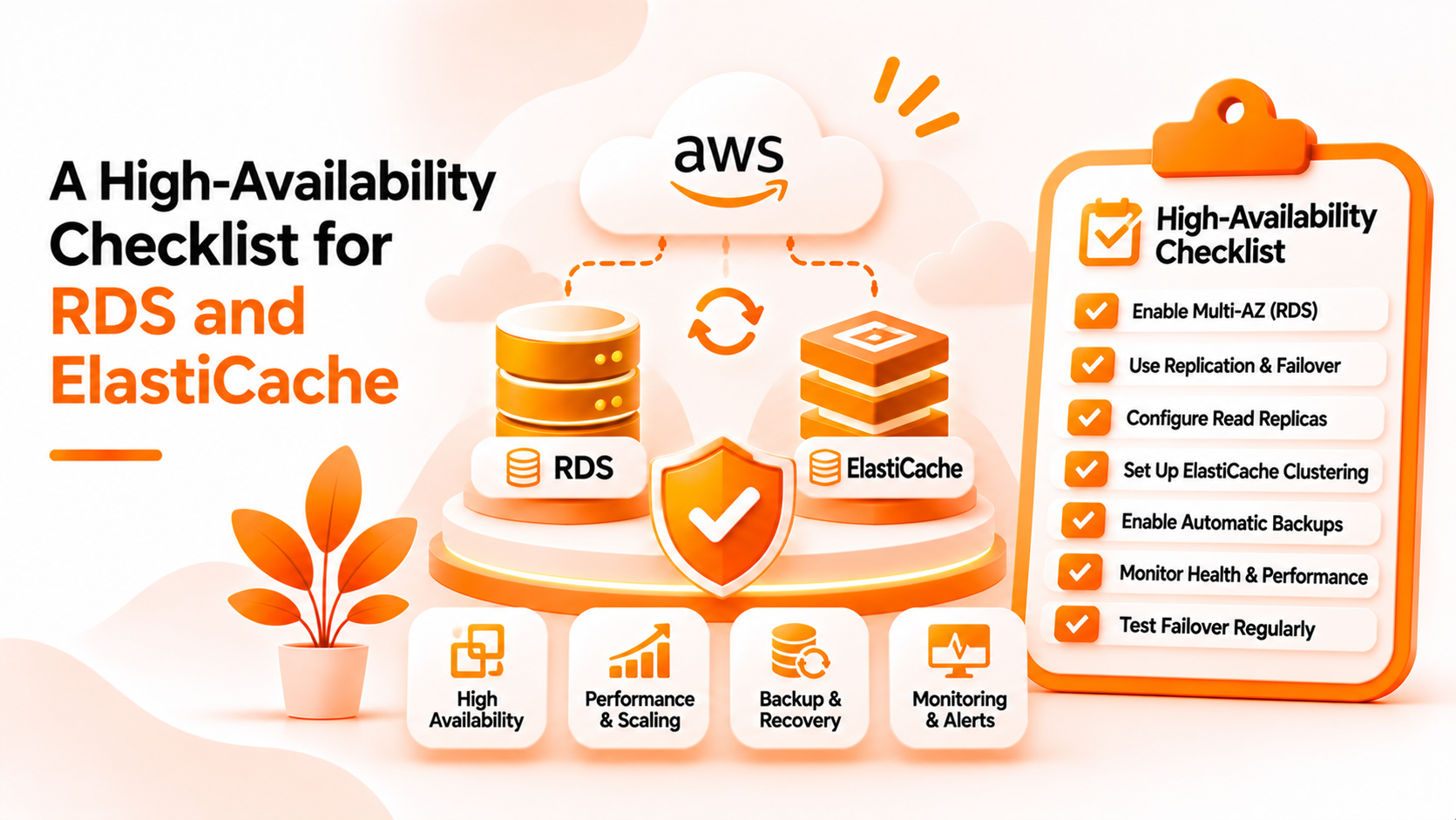
Use this checklist for each production database and cache.
For RDS:
For ElastiCache:
For both:
Finally, monitor. Availability features only help if someone notices when a failover happens or when a replica falls behind.
Bigbell helps with parts of this checklist, mainly for RDS. It is not a complete availability review, and it does not cover ElastiCache configuration.
The Cloud Security Scanner checks RDS databases in a connected AWS account. It reports databases where Multi-AZ is not enabled as a medium severity finding, with the recommendation to enable it for high availability. It also reports databases where deletion protection is disabled as high severity. For AWS servers, it can show instances that have no backup and instances without termination protection. For Azure SQL and Google Cloud SQL, the scanner checks deletion protection, but not a high availability setting.
For ElastiCache, the scanner has no check for replicas or failover settings. Bigbell does include ElastiCache among the AWS services it can monitor, and it supports alerts, but we have not verified specific availability checks for it, so do not rely on Bigbell to confirm your cache topology.
Other limits apply. Scans are started by a person and show the state at that moment. Bigbell does not change your RDS settings, test failover, or guarantee uptime. Treat its findings as a quick way to spot RDS databases that miss two common settings, and use the rest of the checklist as your own review.
Book a demo to see how RDS findings appear for a connected AWS account.
What is Multi-AZ in RDS? A setup that keeps a standby database in another availability zone for automatic failover.
Does Multi-AZ replace backups? No. It protects against failure, not against deletion or bad changes.
Does Multi-AZ increase read capacity? Not in the classic setup. Read replicas are a separate feature.
Is a single node ElastiCache cluster highly available? No. If that node fails, the cache is unavailable until it is replaced.
What does automatic failover do for a cache? It promotes a replica to primary when the primary fails.
Why test failover? To confirm the application reconnects and recovers within an acceptable time.
Does Bigbell check RDS Multi-AZ? Yes. The scanner reports RDS databases where Multi-AZ is not enabled.
Does Bigbell check ElastiCache high availability? No. The scanner has no ElastiCache availability check.
Does Bigbell check RDS deletion protection? Yes. Databases without it are reported as high severity.
Does Bigbell enable these settings for me? No. It reports findings and recommendations. You make the change in AWS.
Can Bigbell monitor ElastiCache? It includes ElastiCache among its supported AWS monitoring services, but we have not verified specific high availability checks.
Does the scanner cover other clouds? For Azure SQL and Google Cloud SQL, it checks deletion protection only.
How often should I review availability settings? After every major change, and on a regular schedule.
What happens to the application during an RDS failover? Connections drop briefly while the standby takes over, so applications should retry instead of failing permanently.
Is deletion protection the same as Multi-AZ? No. Deletion protection prevents accidental deletion, while Multi-AZ provides a standby for failures.
Why does an empty cache cause trouble? All requests fall through to the database at once, which can overload it.
Which resources should get high availability first? Production databases and caches that the application cannot work without.
Should development databases use Multi-AZ? Usually not. The extra cost rarely pays off outside production.
Can a replica protect against accidental deletion? No. Deletions and bad changes can replicate, so you still need backups and deletion protection.