Published Jan. 25, 2025
Many cloud security problems don't start with a clever attacker. They start with a setting that someone changed for a good reason and never changed back: a port opened for a quick test, a database created without protection, a new user added without a second login step. Nothing is broken, so nothing alerts. The risk simply sits there until someone finds it, and it isn't always your team that finds it first.
That is why AWS misconfiguration detection matters. This article explains what misconfigurations are, why teams misjudge them, which ones to watch, and how regular checks help you find them early.
Cloud security on AWS works on a shared basis. AWS secures the physical data centers and the underlying services. You are responsible for how you configure what you build on them: who can sign in, which ports are reachable, how databases are set up, and whether anything can be recovered after a mistake.
A misconfiguration is a setting that works perfectly but leaves you more exposed than you intended. It isn't a software bug, and nobody had to break in to create it. It is a choice, often a default, that no one reviewed.
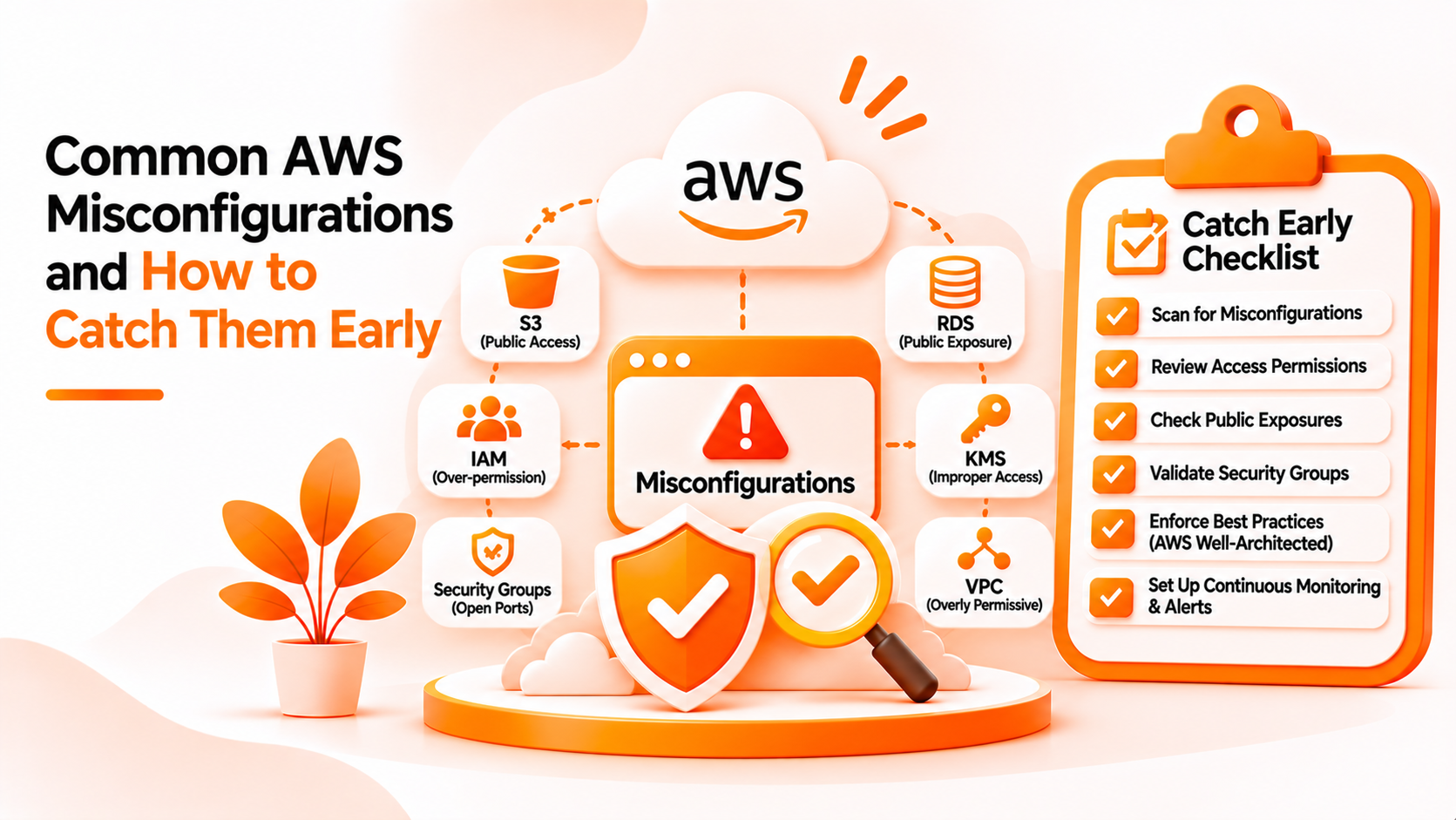
In practice, the common ones fall into a few groups:
These aren't equally dangerous. An open database port is urgent, while a missing Multi-AZ setting is closer to an availability risk. Sorting findings by how serious they are helps your team decide where to start.
The first misunderstanding is that AWS being secure means your account is secure. AWS protects its side. Your settings are your side, and no one checks them for you by default.
The second is that security means defending against attacks. Many teams picture hackers and firewalls and overlook ordinary configuration. In reality, a quiet setting left open is often how an incident begins.
The third is treating a review as a one-time job. A team checks everything before launch and feels done. Then the account grows. New people join, new databases appear, and temporary changes become permanent. The review reflects the day it was done, not today.
The fourth is assuming someone else owns it. Developers assume the platform team checks settings, and the platform team assumes developers follow the rules. When ownership is unclear, a problem can sit for months.
Treat configuration as something that changes, not something that gets finished. A few habits make the biggest difference.
Review settings whenever something changes, not only at launch. A new database, a new user, or a new network rule deserves a short look at its protection settings.
Close temporary access the same day. If you open a port to debug, put a reminder on it, and remove it when the job is done.
Require multi-factor authentication for people who can sign in interactively, and remove access that is no longer needed. Access tends to accumulate.
Know what you could recover. A database or server without a backup is a data protection problem waiting for a bad day. Check that critical resources have backups, and that deletion protection is on where it matters.
Decide who owns each part of the account. When a finding appears, someone should already know it is theirs to look at.
Finally, run checks on a regular schedule and after big changes, because the effect of a misconfiguration depends mostly on how long it stays unnoticed. Whether you do AWS misconfiguration detection by hand, with AWS's own tools, or with a scanner, the goal is the same: shorten the gap between a setting changing and someone seeing it.
BigBell's Cloud Security Scanner is built for part of this job. You connect an AWS account, and the scanner reviews selected settings. It also works with Azure and GCP accounts.
For AWS, BigBell's verified checks include open ports on IP addresses, with sensitive ports such as remote access and database ports flagged as high severity, IAM users without multi-factor authentication, RDS databases without deletion protection or Multi-AZ, EC2 instances without termination protection, and running instances with no backup. Each finding includes a severity, the affected resources, and a recommended next step. Scan results are kept, so you can review earlier scans.
Findings can feed straight into your routine. Run a scan after a big change, work through the high severity items first, and scan again to see what moved. For missing backups, the recommendation points to BigBell's backup module.
The limits are important. The scanner checks a specific set of settings, not every AWS service or resource, and a clean result doesn't prove your account is secure. It flags issues without fixing them, so your team decides what to change. It isn't penetration testing, and BigBell doesn't claim compliance certification for any standard. Keep using AWS's own tools and your own reviews for everything the scanner doesn't cover.
Want to see what a scan shows for your own AWS account? Book a demo.
What is an AWS misconfiguration? A setting that works as configured but leaves your account less protected than you intended, such as an open port or a database without deletion protection.
Are misconfigurations the same as vulnerabilities? Not exactly. A vulnerability is a flaw in software. A misconfiguration is a risky setting, and it usually comes from how the account was set up.
Which misconfigurations should I fix first? Start with anything that exposes sensitive services to the internet, such as remote access or database ports, and users who can sign in without multi-factor authentication.
Why aren't misconfigurations caught automatically? AWS lets you set things many ways, including risky ones. It doesn't know which settings are intentional, so someone has to review them.
How often should I check for them? Regularly, and after significant changes such as new databases, new users, or network changes.
Does BigBell check AWS accounts? Yes. The Cloud Security Scanner connects to AWS accounts and checks selected settings.
Which AWS settings does BigBell check? Open ports, IAM users without multi-factor authentication, RDS deletion protection and Multi-AZ, EC2 termination protection, and missing backups.
Does BigBell fix the issues it finds? No. It flags them with recommendations, and your team decides what to do.
Does BigBell check every AWS service? No. It checks a specific set of settings. Cover everything else with your own reviews and AWS's tools.
Does a clean scan mean my account is secure? No. It means the checked settings looked fine at the time of the scan. Other risks may exist.
Is the scanner the same as penetration testing? No. It reviews configurations and doesn't try to exploit weaknesses.
Is a missing Multi-AZ setting a security risk? It's mainly an availability risk. It matters for resilience, though it isn't an attack route.
Who should review the findings? The team that owns the affected resources, with security involved for high severity items.
What if a finding is intentional? Confirm that it's deliberate and documented, then decide whether the risk is acceptable.