Published Oct. 25, 2024
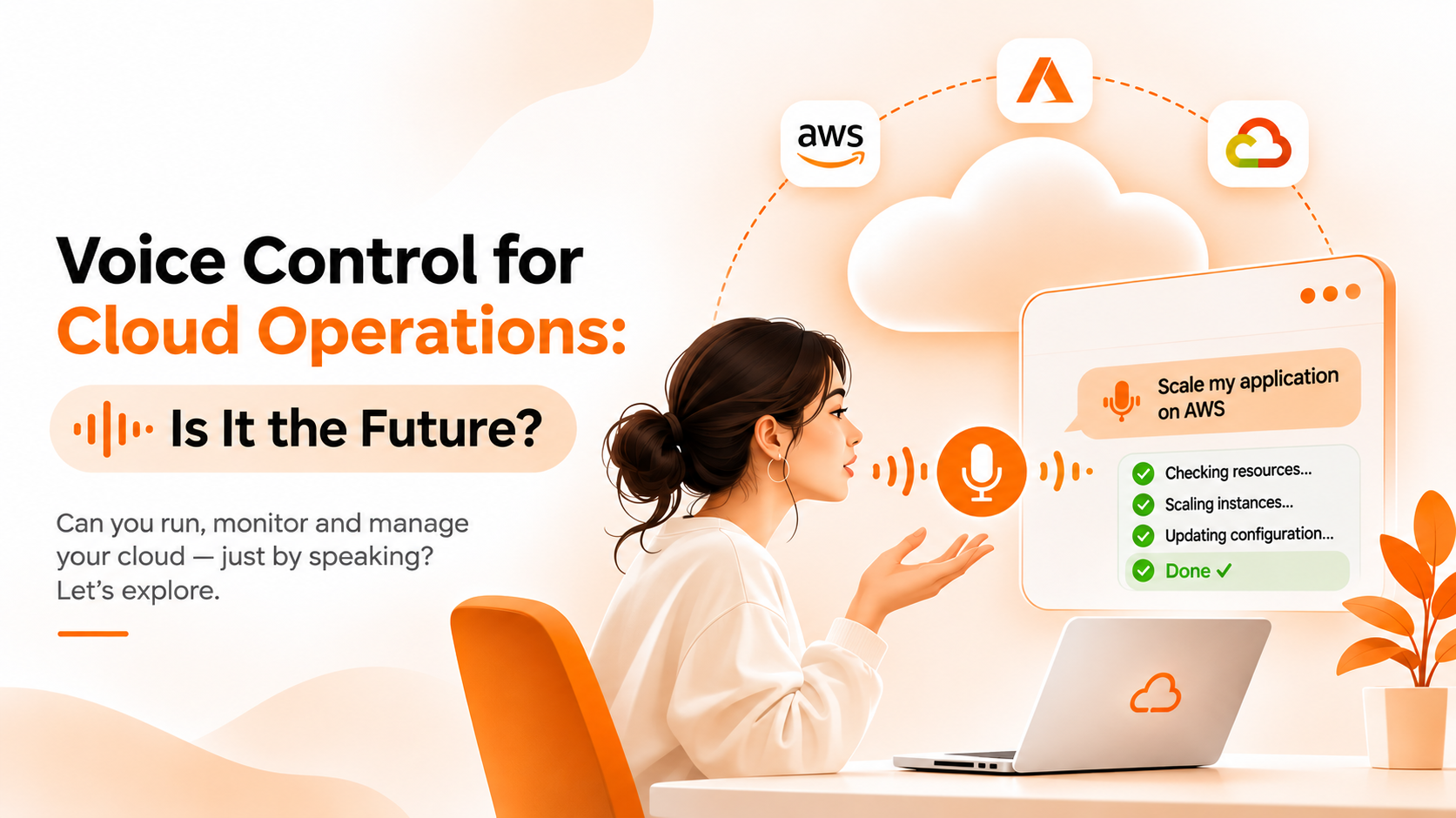
Speaking to your infrastructure sounds appealing. Imagine asking "Is CPU utilization high?", "Is there any threshold breach?", or "Do we have any server without backup?" while your hands are busy, and hearing the answer read back to you. Voice assistants have made spoken commands feel normal at home, so it is fair to ask whether voice control cloud operations will follow.
This guide compares spoken commands with typed chat for operational work. The first sections are general. The final section states exactly what Bigbell supports.
Typed chat is the common form of ChatOps today. A person writes a question or instruction, reads the reply, and can scroll back through the conversation later.
Its main strength is precision. Cloud work is full of exact values: instance identifiers, region codes, schedule times, retention periods. Typing lets you paste an identifier, check it before sending, and correct it. The result is a written record that others can review, and it works in an open office, on a train, or during a quiet night shift without disturbing anyone.
The weakness is friction. Typing takes both hands and attention, and a long, detailed request can be slower to write than to say. For quick questions, that friction is small. For people who cannot look at a screen, it is a real barrier.
Voice control adds speech recognition in front of the same idea. You speak a request, software converts it to text, a system interprets it, and the reply is shown or read aloud.
The advantages are real. It suits hands busy situations, helps people who find typing difficult, and can feel faster for short questions. Hearing a brief status summary is convenient when you are away from a desk.
The challenges are particular to operations. Spoken identifiers are error prone, since a string of letters and digits is easy to mishear. Region names, server names, and technical terms confuse speech recognition, especially with accents or background noise. Voice also leaves no automatic written trail unless the transcript is stored, and speaking a command that changes infrastructure raises the stakes of a misheard word. Privacy matters too, because sensitive details spoken aloud can be overheard.
| What matters | Typed chat (Option A) | Voice control (Option B) |
|---|---|---|
| Accuracy with exact values | Easy to enter and verify | Identifiers are easy to mishear |
| Speed | Faster when requests include identifiers | Quicker for short questions |
| Safety for changes | Request can be read before sending | Riskier; needs a confirmation step |
| Accessibility and convenience | Needs hands and eyes | Helps when hands or eyes are busy |
| Auditability | Conversation is already a record | Only if transcripts are stored |
| Environment | Works anywhere | Needs a quiet space |
For almost all operational work today, typed chat is the safer default. Choose it whenever a request includes identifiers, changes a configuration, or needs to be reviewed later.
Consider voice only as an addition, and mainly for read only questions such as status summaries, where mishearing is harmless and a short spoken answer saves time. Keep any action that changes infrastructure in text, where the request can be reviewed first. Before adopting any voice feature, ask how it handles ambiguous words, whether it repeats a request back before acting, and where transcripts are stored.
So is voice the future? It may become a useful companion to chat, but it is unlikely to replace typed interfaces for precise work. Accuracy and accountability matter more in operations than convenience does.
Voice control is not part of Bigbell's chat today. Its AI chat, described on the ChatOps page, is a text interface.
Within that text chat, a few design choices address the same problems voice would face. The chat asks for missing details instead of guessing, for example the time a schedule should run or the AWS region of an instance. It answers from tool results and says so when data is missing. For billing and monitoring questions, it states the time range it used. These habits matter for any interface, spoken or typed, and they are the first things to look for if you evaluate a voice tool elsewhere. Reading the request back before acting is the safeguard that spoken input needs most.
The chat can answer questions about server CPU, memory, and disk, monitored URL response times, billing, and AWS EC2 and RDS resources, and it can manage start, stop, and modify schedules and backup schedules for AWS, Azure, and Google Cloud. Sessions are kept for each user and organization, so there is a written record of what was asked. For how this compares with chat inside messaging tools, see our beginner's guide to Slack and Teams bots.
Book a demo to see the typed chat in action.
Does Bigbell support voice commands? No. Bigbell's AI chat is text based.
Is voice control for cloud operations safe? It is safer for read only questions than for changes, because misheard words can cause mistakes.
Why are identifiers hard for voice? Strings of letters and numbers are easy to mishear, and technical names confuse speech recognition.
Can voice help accessibility? Yes. It can help people who find typing difficult or who are working hands free.
Should voice commands change infrastructure? Only with a clear confirmation step, since a misheard word could affect the wrong resource.
What does Bigbell's chat do when details are missing? It asks for them, such as run time or region, before creating a schedule.
Is the Bigbell chat history kept? Yes. Sessions are stored for each user and organization.
Will voice replace typed chat? Probably not for precise work. It is more likely to become an addition for quick, read only questions.
Is typed chat slower than voice? For short questions, sometimes. For requests with identifiers or times, typing is usually faster to get right.
Can voice work in a noisy operations room? It is harder, since background noise reduces recognition accuracy. Typed chat is unaffected.
What should a voice feature confirm before acting? The exact resource and action, read back to the user, before anything changes.
Does Bigbell's chat show which time range it used? It is designed to state the range used for monitoring answers, such as the last 24 hours.
Can I use Bigbell chat on any topic? It covers cloud resources, monitoring, billing, schedules, and backups. Other topics are outside its tools.
What is the biggest risk of voice for operations? A misheard identifier causing an action on the wrong resource.
Could voice become useful later? Possibly, as an addition for status questions. Any change to infrastructure should still be confirmed in text.
Does Bigbell's chat repeat requests back? It asks for missing details before creating schedules, such as the run time and the AWS region.
Is a transcript of a spoken command enough for auditing? Only if it is stored and tied to the user who spoke it. Typed chat gives you that record by default.