Published May 5, 2025
The first Droplet gets monitored carefully. The tenth gets added in a hurry. By the thirtieth, nobody is sure which ones are covered, who owns them, or whether the agent on the older ones is still reporting. Then a Droplet that nobody remembered fills its disk on a Friday evening, and the team learns about it from a customer.
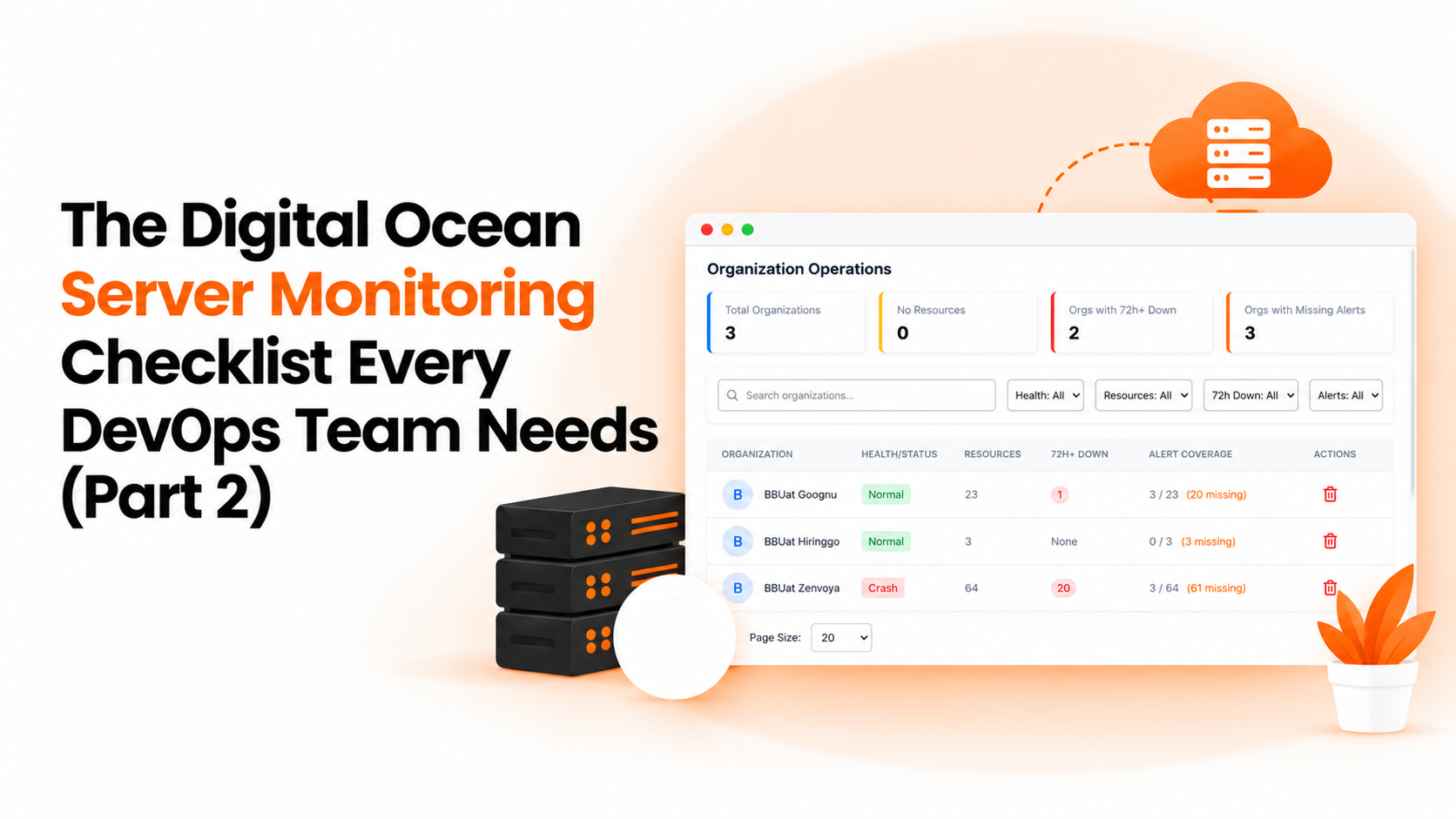
Part 1 of this checklist covered what to monitor on each Droplet. This second part covers the discipline around it. Good digitalocean server monitoring isn't only a matter of the right checks; it's about keeping every Droplet covered, grouped, and owned as the fleet grows. The seven items below are the ones that tend to slip.
Add new Droplets on day one. DigitalOcean doesn't tell your monitoring tool when a new Droplet appears, so adding it is a manual step. If it's not part of the process for creating a server, it gets skipped under deadline pressure, and the skipped Droplets are the ones that cause surprises later. Put it on the same checklist as setting up SSH access, and make it part of whatever script or template you use to create Droplets, so there's one less thing to remember.
Confirm each Droplet is still sending data. A Droplet can stop reporting for ordinary reasons, such as a stopped service or a reboot that didn't restart the agent. The dashboard may simply show an old reading, which looks the same as a calm one, and nobody gets an alert because nothing is technically wrong. Look for Droplets whose data has gone quiet, rather than only for ones with bad numbers. A short weekly look at which Droplets have reported recently is usually enough to catch this early.
Group Droplets by environment. Production, staging, and development need different limits and different urgency. Keeping them in separate groups makes each easy to review and prevents a test server's warning from competing with a production alert. It also makes quarterly reviews faster, since you can go through one environment at a time.
Name an alert owner. Every alert should land with someone who can act on it. If a Droplet's owner left the company six months ago, the alerts are going nowhere. Reviewing owners once a quarter takes a few minutes and prevents the worst misses. When someone changes teams, their Droplets should change hands the same day.
Match check frequency to importance. A checkout page deserves frequent checks. A small internal tool doesn't. Checking everything at the same pace either wastes attention or leaves important services under-watched, so choose frequency deliberately for each endpoint. A good rule is to check the pages that earn money or serve customers most often, and everything else less so.
Looser thresholds for non-production. A staging box that runs a heavy test will cross a production-style limit and fire an alert nobody needs. Give non-production its own limits and a quieter destination, and keep the loud channels for production. If a test server needs to run hot for a day, that shouldn't wake anyone.
Remove retired Droplets. When a Droplet is destroyed, its monitoring should go too. Otherwise you collect alerts about servers that no longer exist, and people learn to ignore the channel. Add removal to your decommissioning steps, right next to destroying the Droplet itself.
BigBell handles the routine parts of this checklist, with one important difference to plan around. BigBell doesn't connect to a DigitalOcean account, so it doesn't discover Droplets on its own. Each Droplet is monitored through BigBell's installed Linux agent, which reports CPU, memory, and disk usage, plus URL and SSL checks on its public endpoints. Items 1 and 2 stay manual steps for your team, which is why it helps to make them part of your normal server setup routine.
Resources are organized into projects, so Droplets can be grouped by environment, and tags can group them further. Check frequency is chosen per monitor, from every few seconds up to once a day. Thresholds are set per resource with separate warning and critical values, and a configurable delay filters brief spikes. Alerts can be routed at the organization, project, or application level to email, Slack, Microsoft Teams, Google Chat, WhatsApp, SMS, or a phone call, and a recovery notification is sent when a resource returns to normal. You can read more on the BigBell monitoring page.
BigBell doesn't track DigitalOcean billing, so keep an eye on that separately.
Does BigBell find my Droplets automatically? No. BigBell doesn't connect to a DigitalOcean account, so each Droplet is added through the installed Linux agent.
What does BigBell monitor on a Droplet? CPU, memory, and disk usage through the agent, plus uptime, response time, and SSL certificate checks on public endpoints.
How do I know a Droplet has stopped reporting? Review your Droplets regularly and look for any whose data has stopped updating. Don't assume that a flat line means a healthy server.
Should staging Droplets have the same alerts as production? Usually not. Give them looser limits and a quieter destination so test activity doesn't compete with real production alerts.
How should I group Droplets? By environment, such as production and staging, using projects. Tags can add a second grouping, like the team that owns each server.
Does BigBell show DigitalOcean costs? No. BigBell tracks billing for AWS, Azure, and GCP, not DigitalOcean.
What's the biggest risk as the number of Droplets grows? Coverage gaps. The more Droplets you have, the easier it is for one to be added late or never at all, so a regular comparison against your DigitalOcean list matters.
What should happen when I destroy a Droplet? Remove it from monitoring at the same time, so you don't receive alerts for a server that no longer exists.
Is a separate monitoring tool worth it for a small number of Droplets? Often yes. Even a handful of Droplets can run something important, and the cost of a missed disk or certificate problem is the same regardless of how many servers you have.
How often should I review my Droplet monitoring? Quarterly is a good habit, and whenever your team changes. Check coverage, owners, and thresholds together.
Why not just rely on DigitalOcean's own dashboard? It shows Droplet-level metrics from DigitalOcean's side, but it doesn't combine them with thresholds, delays, and alert routing across the rest of your servers. Many teams use both.
Who should own the monitoring setup for a growing fleet? One named person, even part-time. That person makes sure new Droplets are added, owners are current, and retired ones are removed.
Do I need to monitor Droplets that rarely change? Yes, at least lightly. Quiet servers are the ones most likely to be forgotten, and a disk or certificate problem can appear on them without warning.
Can I get help setting this up? Yes. You can contact the BigBell team with questions about your own setup.
Related reading: multi-cloud server monitoring, Part 2, disk space monitoring, Part 2, and the Linux server monitoring guide.
Want to try it on your own Droplets? Try BigBell free.